跳到主要内容

35 篇博文 含有标签「edge computing」

查看所有标签

· 阅读需 9 分钟

This post shares a hands-on validation of KubeEdge on a real RISC-V board, VisionFive2. It covers dependency preparation, native build of KubeEdge components, edge node join, and basic workload deployment, showing that the core deployment path is feasible on riscv64.

As the RISC-V ecosystem continues to grow, more edge scenarios are beginning to care about multi-architecture support. For KubeEdge, an important question naturally follows: can its basic deployment path work on a real RISC-V device?

Recently, I did a hands-on validation on a VisionFive2 board to answer that question.

The goal of this work was not to prove production readiness in one step, but to verify a more practical baseline: on a real riscv64 environment, can we complete the core path from dependency preparation, to KubeEdge component build, to edge node join, and finally to basic workload running?

The answer, at least for this round of testing, is yes.


Why this validation matters

As edge computing expands to more hardware forms, architecture diversity is becoming increasingly common. In that context, verifying KubeEdge on RISC-V is meaningful in two ways.

First, it helps clarify whether KubeEdge has a usable starting point on emerging architectures. Second, it provides a practical reference for follow-up work, including workload compatibility testing, networking validation, and long-term stability evaluation on real devices.

For this validation, I used VisionFive2 as the target platform and focused on a single question: is the basic deployment chain of KubeEdge on RISC-V feasible?

More specifically, I wanted to verify the following:

  • whether edge-side dependencies can be installed and used on riscv64;
  • whether edgecore and keadm can be built successfully on the device;
  • whether the edge node can join CloudCore successfully;
  • whether a basic containerized workload can finally run on the edge side.

Test environment

Hardware

  • Board: VisionFive2
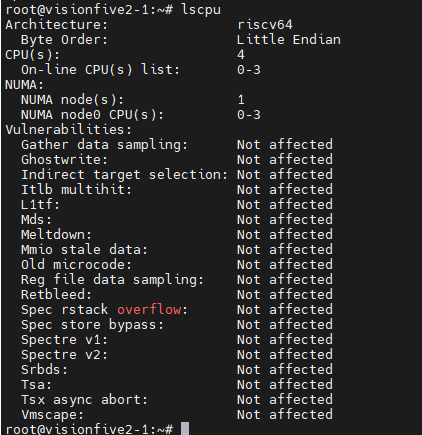
  • CPU Architecture: RISC-V 64-bit
  • SoC: JH7110

Operating system

  • OS: Ubuntu Server 24.04.4
  • Architecture: riscv64
  • Image:
https://cdimage.ubuntu.com/releases/24.04.4/release/ubuntu-24.04.4-preinstalled-server-riscv64+jh7110.img.xz
Ubuntu image on VisionFive2

Software versions

  • containerd: v2.2.2
  • runc: installed via apt
  • crictl: v1.35.0
  • CNI plugins: v1.9.1
  • nerdctl: v2.2.2
  • buildkit: v0.28.1
  • Go: v1.22.4
  • KubeEdge: v1.21.0

What was validated

This round of work was intentionally scoped as a basic capability validation, not a full production-readiness assessment.

The validation covered:

  • base OS and dependency preparation;
  • container runtime setup;
  • KubeEdge core component build;
  • edge node join;
  • basic application deployment.

The following items are not fully covered yet:

  • multiple workload types and replicas;
  • Service, DNS, and deeper CNI/networking verification;
  • disconnect/reconnect and fault recovery scenarios;
  • long-duration stability evaluation;
  • compatibility across more RISC-V boards or distributions.

Step 1: Preparing the container runtime environment

Before bringing up KubeEdge, the first task was to prepare the edge-side runtime stack on VisionFive2. This included installing and configuring runc, containerd, crictl, CNI plugins, nerdctl, and buildkit.

A few adjustments were also needed during this step, especially around containerd cgroup configuration and the pause image used by the runtime.

Install runc and containerd

sudo apt update && sudo apt install -y runc

wget https://github.com/containerd/containerd/releases/download/v2.2.2/containerd-2.2.2-linux-riscv64.tar.gz
sudo tar Cxzvf /usr/local containerd-2.2.2-linux-riscv64.tar.gz

sudo curl -L https://raw.githubusercontent.com/containerd/containerd/v2.2.2/containerd.service -o /etc/systemd/system/containerd.service

sudo mkdir -p /etc/containerd
containerd config default | sudo tee /etc/containerd/config.toml

sudo sed -i 's/SystemdCgroup = false/SystemdCgroup = true/' /etc/containerd/config.toml
sudo sed -i 's#sandbox_image = ".*"#sandbox_image = "registry.k8s.io/pause:3.9"#' /etc/containerd/config.toml

sudo systemctl daemon-reload
sudo systemctl enable --now containerd

Install crictl

wget https://github.com/kubernetes-sigs/cri-tools/releases/download/v1.35.0/crictl-v1.35.0-linux-riscv64.tar.gz
sudo tar xzvf crictl-v1.35.0-linux-riscv64.tar.gz -C /usr/local/bin

sudo tee /etc/crictl.yaml <<EOF
runtime-endpoint: unix:///run/containerd/containerd.sock
image-endpoint: unix:///run/containerd/containerd.sock
timeout: 10
debug: false
EOF

Install CNI plugins

wget https://github.com/containernetworking/plugins/releases/download/v1.9.1/cni-plugins-linux-riscv64-v1.9.1.tgz
sudo mkdir -p /opt/cni/bin
sudo tar Cxzvf /opt/cni/bin cni-plugins-linux-riscv64-v1.9.1.tgz

sudo mkdir -p /etc/cni/net.d
sudo chmod 755 /etc/cni /etc/cni/net.d
sudo tee /etc/cni/net.d/87-loopback.conf <<EOF
{
"cniVersion": "0.3.1",
"name": "lo",
"type": "loopback"
}
EOF

Install nerdctl and buildkit

wget https://github.com/containerd/nerdctl/releases/download/v2.2.2/nerdctl-2.2.2-linux-riscv64.tar.gz
sudo tar Cxzvvf /usr/local/bin nerdctl-2.2.2-linux-riscv64.tar.gz

wget https://github.com/moby/buildkit/releases/download/v0.28.1/buildkit-v0.28.1.linux-riscv64.tar.gz
sudo tar Cxzvvf /usr/local buildkit-v0.28.1.linux-riscv64.tar.gz

sudo tee /etc/systemd/system/buildkitd.service <<EOF
[Unit]
Description=BuildKit Daemon (containerd worker)
Documentation=https://github.com/moby/buildkit
After=containerd.service
Requires=containerd.service

[Service]
Type=notify
ExecStart=/usr/local/bin/buildkitd --oci-worker=false --containerd-worker=true --containerd-worker-namespace=k8s.io --containerd-worker-addr=/run/containerd/containerd.sock
Restart=always
User=root
Group=root
LimitNOFILE=65535

[Install]
WantedBy=multi-user.target
EOF

sudo systemctl daemon-reload
sudo systemctl enable --now buildkitd

At this point, the basic runtime environment required by the edge node was in place.


Step 2: Building a RISC-V-compatible pause image

One practical issue during setup was the pause image.

To make the runtime path more controllable on the current environment, I manually built a RISC-V-compatible pause:3.9 image and loaded it into the local containerd namespace used by KubeEdge.

mkdir -p pause-build/bin
cd pause-build

curl -LO https://raw.githubusercontent.com/kubernetes/kubernetes/v1.28.0/build/pause/linux/pause.c
sudo apt install -y gcc
gcc -Os -Wall -Wextra -static -o bin/pause-riscv64 pause.c

tee Dockerfile <<EOF
FROM scratch
ARG ARCH=riscv64
ADD bin/pause-${ARCH} /pause
ENTRYPOINT ["/pause"]
EOF

sudo nerdctl -n k8s.io build -t registry.k8s.io/pause:3.9 .

This step helped ensure that later workload creation would not be blocked by image compatibility issues.


Step 3: Building KubeEdge components on riscv64

After preparing the runtime layer, the next key question was whether KubeEdge itself could be built successfully on the device.

For this validation, I focused on the two most relevant binaries for the edge-side path: edgecore and keadm.

Install Go

wget https://mirrors.aliyun.com/golang/go1.22.4.linux-riscv64.tar.gz
sudo tar -C /usr/local -xzf go1.22.4.linux-riscv64.tar.gz

echo "export PATH=\$PATH:/usr/local/go/bin" >> ~/.bashrc
source ~/.bashrc
go version

Clone source and build edgecore / keadm

git clone https://github.com/kubeedge/kubeedge.git
cd kubeedge
git checkout v1.21.0

GIT_VERSION=$(git describe --tags --abbrev=0 || echo "v0.0.0-master")
GIT_COMMIT=$(git rev-parse --short HEAD)
GIT_TREE_STATE=$(if git status --porcelain | grep -q .; then echo "dirty"; else echo "clean"; fi)
BUILD_DATE=$(date -u +'%Y-%m-%dT%H:%M:%SZ')

LDFLAGS="-X github.com/kubeedge/kubeedge/pkg/version.gitVersion=${GIT_VERSION} \
-X github.com/kubeedge/kubeedge/pkg/version.gitCommit=${GIT_COMMIT} \
-X github.com/kubeedge/kubeedge/pkg/version.gitTreeState=${GIT_TREE_STATE} \
-X github.com/kubeedge/kubeedge/pkg/version.buildDate=${BUILD_DATE} \
-s -w"

GOARCH=riscv64 go build -ldflags "${LDFLAGS}" -o edgecore-riscv64 ./edge/cmd/edgecore
GOARCH=riscv64 go build -ldflags "${LDFLAGS}" -o keadm-riscv64 ./keadm/cmd/keadm/

sudo cp keadm-riscv64 /usr/local/bin/keadm

The build completed successfully, which is an important result on its own: KubeEdge core components can at least be built natively on this RISC-V platform under the tested version path.


Step 4: Packaging the installation artifact

To make follow-up deployment and reproduction easier, I also packaged the built edgecore binary into an installation image.

mkdir -p install/usr/local/bin/
cp edgecore-riscv64 install/usr/local/bin/edgecore
cd install
tar zcvf kubeedge-v1.21.0-linux-riscv64.tar.gz usr/

tee Dockerfile <<EOF
FROM busybox:stable
ADD kubeedge-v1.21.0-linux-riscv64.tar.gz /
CMD ["sh"]
EOF

sudo nerdctl -n k8s.io build -t docker.io/kubeedge/installation-package:v1.21.0 .

This is not the final goal of the validation itself, but it is useful for later migration, distribution, and repeatability.


Step 5: Joining the edge node to CloudCore

Once dependencies and binaries were ready, I used keadm join to connect the VisionFive2 node to the cloud side.

This is the key step that determines whether the cloud-edge connection path can actually work on RISC-V.

sudo keadm join \
--cgroupdriver=systemd \
--cloudcore-ipport=<CLOUDCORE_IP>:30000 \
--hub-protocol=websocket \
--certport=30002 \
--kubeedge-version=v1.21.0 \
--remote-runtime-endpoint=unix:///run/containerd/containerd.sock \
--edgenode-name=vf2-2 \
--set modules.edgeStream.server=<CLOUDCORE_IP>:30004,modules.edgeStream.enable=true,modules.metaManager.enable=true,modules.metaManager.metaServer.enable=true,modules.eventBus.enable=false,modules.serviceBus.enable=true,modules.edgeHub.websocket.server=<CLOUDCORE_IP>:30000 \
--token=<TOKEN>


Node join result Edge node status

After execution, the edge node joined successfully and the node status was normal.

This means the main join path between the RISC-V edge node and CloudCore was successfully verified.


Step 6: Running a basic workload on the edge node

Joining the node is only part of the story. To complete the full loop, the environment still needs to prove that it can actually run a real workload.

For this, I deployed a simple Nginx application to the edge node.

tee edgetest.yaml <<EOF
apiVersion: apps/v1
kind: Deployment
metadata:
name: nginx-edge
spec:
replicas: 1
selector:
matchLabels:
app: nginx-edge
template:
metadata:
labels:
app: nginx-edge
spec:
nodeName: vf2-2
hostNetwork: true
automountServiceAccountToken: false
containers:
- name: nginx-edge
image: nginx
imagePullPolicy: IfNotPresent
ports:
- containerPort: 80
EOF

kubectl apply -f edgetest.yaml

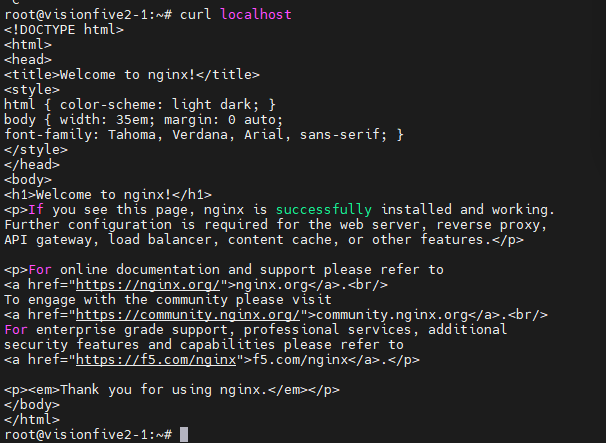
Nginx deployment result Nginx running on edge node

The deployment was created successfully and the container ran on the edge side as expected.

At this point, the core validation loop had been closed:

  • dependencies were prepared;
  • KubeEdge components were built;
  • the node joined CloudCore;
  • a basic workload ran successfully on the edge device.

What this validation tells us

Based on the observed results, the following conclusions can be drawn for the current stage.

1. Edge-side dependencies can be installed on VisionFive2

The basic runtime stack — including containerd, runc, crictl, CNI plugins, nerdctl, and buildkit — can be installed and configured successfully on Ubuntu 24.04.4 riscv64 running on VisionFive2.

2. KubeEdge core components can be built on riscv64

Both edgecore and keadm were successfully compiled on the tested RISC-V environment, showing that KubeEdge has a workable source-level build path on this platform.

3. The edge node can join CloudCore successfully

Using keadm join, the VisionFive2 node was able to join the cloud side and report normal status, which confirms that the basic cloud-edge access path is feasible on RISC-V.

4. Basic workloads can run on the edge side

The successful deployment of Nginx shows that this environment is not only able to build and connect, but also able to support basic containerized workloads.


Final takeaway

From this round of validation, I would summarize the current state in three words:

  • buildable;
  • joinable;
  • runnable.

In other words, KubeEdge already demonstrates basic usability on VisionFive2 under the tested RISC-V environment.

That does not mean the platform is fully validated for all edge scenarios yet. But it does mean that the most important first step has been crossed: the core deployment path works.

For anyone interested in bringing KubeEdge to RISC-V devices, this should be a useful starting point.


Current limitations and next steps

It is also important to keep the conclusion within the right boundary.

This validation proves basic feasibility, not full production readiness.

Several areas still need follow-up work:

  • broader workload compatibility testing;
  • systematic verification of networking features such as Service, DNS, and deeper CNI behavior;
  • disconnection, reconnection, and recovery testing;
  • long-duration stability observation on real hardware;
  • validation across more RISC-V boards and software combinations.

These will be the more meaningful next steps if we want to move from “it works” to “it is reliable enough for real-world edge scenarios.”


Conclusion

This validation on VisionFive2 shows that KubeEdge v1.21.0 can complete the basic end-to-end deployment path on Ubuntu 24.04.4 riscv64:

  • the runtime environment can be prepared;
  • core components can be built;
  • the edge node can join the cloud side;
  • a basic workload can run successfully.

For the RISC-V ecosystem, this is a small but concrete step forward.

And for KubeEdge on emerging architectures, it provides a practical reference point for deeper verification work ahead.

· 阅读需 6 分钟

北京时间2025年11月4日,KubeEdge 发布1.22.0版本。新版本对 Beehive 框架以及 Device Model做了优化升级,同时对边缘资源管理能力做了提升。

KubeEdge v1.22 新增特性:

新特性概览

新增 hold/release 机制控制边缘资源更新

在自动驾驶、无人机和机器人等应用场景中,我们希望在边缘能够控制对边缘资源的更新,以确保在未得到边缘设备管理员的许可下,这些资源无法被更新。在1.22.0版本中,我们引入了 hold/release 机制来管理边缘资源的更新。

在云端,用户可以通过对 DeploymentStatefulSetDaemonSet 等资源添加 edge.kubeedge.io/hold-upgrade: "true" 的 annotation,表示对应的 Pod 在边缘更新需要被hold。

在边缘,被标记了 edge.kubeedge.io/hold-upgrade: "true" 的Pod会被暂缓被处理。边缘管理员可以通过执行以下命令来释放对该Pod的锁,完成资源更新。

keadm ctl unhold-upgrade pod <pod-name>

也可以执行以下命令解锁边缘节点上所有被hold的边缘资源。

keadm ctl unhold-upgrade node
备注

使用 keadm ctl 命令需要启动 DynamicController 和 MetaServer 开关。

更多信息可参考:

https://github.com/kubeedge/kubeedge/pull/6348 https://github.com/kubeedge/kubeedge/pull/6418

Beehive框架升级,支持配置子模块重启策略

在1.17版本中,我们实现了 EdgeCore 模块的自重启,可以通过全局配置来设置边缘模块的重启。在1.22版本中,我们对 Beehive 框架进行了升级优化,支持边缘子模块级别的重启策略配置。同时我们统一了 Beehive 各子模块启动的错误处理方式,对子模块能力标准化。

更多信息可参考:

https://github.com/kubeedge/kubeedge/pull/6444 https://github.com/kubeedge/kubeedge/pull/6445

基于物模型与产品概念的设备模型能力升级

目前的 Device Model 基于物模型概念设计,而在传统IoT中,设备通常采用物模型、产品和设备实例三层结构进行设计,可能导致用户在实际使用中产生困惑。

在 1.22.0 版本中,我们结合物模型与实际产品的概念,对设备模型的设计进行了升级。从现有的设备实例中提取了protocolConfigData, visitors 字段到设备模型中,设备实例可以共享这些模型配置。同时,为了降低模型分离的成本,设备实例可以重写覆盖以上配置。

更多信息可参考:

https://github.com/kubeedge/kubeedge/pull/6457 https://github.com/kubeedge/kubeedge/pull/6458

边缘轻量化Kubelet新增 Pod Resources Server 和 CSI Plugin 特性开关

在之前的版本中,我们在 EdgeCore 集成的轻量化 Kubelet 中移除了Pod Resources Server能力,但在一些使用场景中,用户希望恢复该能力以实现对Pod的监控等。同时,由于 Kubelet 默认启动CSI Plugin,离线环境下启动 EdgeCore 会由于 CSINode 创建失败而导致失败。

在 1.22.0 版本中,我们在轻量化 Kubelet 中新增了 Pod Resources Server 和 CSI Plugin 特性开关,如果您需要启用 Pod Resources Server 或关闭 CSI Plugin,您可以在 EdgeCore 配置中添加如下特性开关:

apiVersion: edgecore.config.kubeedge.io/v1alpha2
kind: EdgeCore
modules:
edged:
tailoredKubeletConfig:
featureGates:
KubeletPodResources: true
DisableCSIVolumePlugin: true
...

更多信息可参考:

https://github.com/kubeedge/kubernetes/pull/12 https://github.com/kubeedge/kubernetes/pull/13 https://github.com/kubeedge/kubeedge/pull/6452

C语言版本Mapper-Framework支持

在1.20.0版本中,我们在原有的go语言版本Mapper工程基础上,新增了Java版本的Mapper-Framework。由于边缘IoT设备通信协议的多样性,很多边缘设备驱动协议都是基于C语言实现的,因此在新版本中,KubeEdge提供了C语言版本的Mapper-Framework,用户可以访问KubeEdge主仓库的feature-multilingual-mapper-c分支,利用Mapper-Framework生成C语言版本的自定义Mapper工程。

更多信息可参考:

https://github.com/kubeedge/kubeedge/pull/6405 https://github.com/kubeedge/kubeedge/pull/6455

升级K8s依赖到1.31

新版本将依赖的Kubernetes版本升级到v1.31.12,您可以在云和边缘使用新版本的特性。

更多信息可参考:

https://github.com/kubeedge/kubeedge/pull/6443

· 阅读需 11 分钟

北京时间2025年6月28日,KubeEdge发布1.21.0版本。新版本对节点任务框架(节点升级、镜像预下载)做了全面更新,并新增云端更新边缘配置的能力,同时Dashboard新增对keink的集成,支持一键部署,在易用性、管理运维能力上做了全面增强。

KubeEdge v1.21 新增特性:

新特性概览

全新节点任务API以及实现

当前KubeEdge中的节点任务资源(节点升级、镜像预下载)的状态设计较为复杂,可读性较差。此外,在执行节点任务的过程中,一些错误不会被记录到状态中导致无法定位任务失败的原因。因此我们对节点状态和运行流程进行了重新设计,设计目标如下:

  • 定义一个新的节点任务的状态结构,使其更易于用户和开发者理解
  • 跟踪整个流程的错误信息,将其写入状态中展示
  • 开发一个更合理的节点任务流程框架

在新的设计中,节点任务的状态由总阶段(phase)和各节点执行任务的状态(nodeStatus)组成。节点任务的阶段(phase)有四个枚举值分别为:Init、InProgress、Completed或Failure,该值通过每个节点的执行状态计算所得。 节点执行任务的状态由阶段(phase)、节点执行的动作流(actionFlow)、节点名称(nodeName)、执行动作流以外的错误原因(reason)以及业务相关的一些字段(如镜像预下载任务的每个镜像下载状态)组成。节点执行任务的阶段(phase)有五个枚举值分别为:Pending、InProgress、Successful、Failure和Unknown。动作流是一个数组结构,记录了每个动作(action)的执行结果,状态(Status)复用了Kubernetes的ConditionStatus,用True和False表示动作的成功或失败,并且记录了动作的失败原因(reason)和执行时间(time)。

节点升级任务的状态YAML样例如下:

status:
nodeStatus:
- actionFlow:
- action: Check
status: 'True'
time: '2025-05-28T08:12:01Z'
- action: WaitingConfirmation
status: 'True'
time: '2025-05-28T08:12:01Z'
- action: Backup
status: 'True'
time: '2025-05-28T08:12:01Z'
- action: Upgrade
status: 'True'
time: '2025-05-28T08:13:02Z'
currentVersion: v1.21.0
historicVersion: v1.20.0
nodeName: ubuntu
phase: Successful
phase: Completed

我们对节点任务的云边协作流程也进行了重新设计。为了避免CloudCore多实例导致的节点任务更新产生并发冲突,我们将节点任务的初始化和节点任务的状态计算放在ControllerManager中处理,因为ControllerManager总是单实例运行的。具体流程如下:

  • 当节点任务CR被创建后,ControllerManager会初始化匹配的节点的状态;
  • CloudCore只会处理ControllerManager处理过的节点任务资源,通过执行器(Executor)和下行控制器(DownstreamController)将节点任务下发给节点;
  • EdgeCore接收到节点任务后,通过运行器(Runner)执行动作,并将每个动作的执行结果上报给CloudCore;
  • CloudCore通过上行控制器(UpstreamController)接收动作运行的结果并将结果更新到节点任务的状态中;
  • ControllerManager监听节点任务资源的变化计算整个节点任务的状态进行更新。

在整个处理流程中,我们将流程中可能产生的错误都记录并更新到了节点任务资源状态的原因字段中。

更多信息可参考:

https://github.com/kubeedge/kubeedge/pull/6082 https://github.com/kubeedge/kubeedge/pull/6084

节点组流量闭环优化

在 KubeEdge 1.21.0 中,我们对节点组的流量闭环功能进行了全面优化,使其功能更完善、使用更灵活。这一功能的核心能力是:通过一个 Service 实现“节点组内应用只能访问同组内应用服务,无法访问其他节点组的服务。借助该机制,用户可以轻松实现边缘多区域间的网络隔离,确保不同区域的应用服务之间互不干扰。

应用场景举例:

以连锁门店为例,企业可将全国各地的门店按区域划分为多个节点组(如华东、华北、西南等),每个区域的门店部署相同类型的应用(如库存管理、收银系统),但业务数据互相隔离。通过流量闭环功能,系统可自动限制服务访问范围,仅在节点组内互通,避免跨区域访问,无需额外配置网络策略。 流量闭环功能为可选项。如果用户不希望开启节点组间的流量隔离,只需在 EdgeApplication 中不配置 Service 模板,系统则不会启用该能力,应用依然可以按原有方式进行通信。

使用样例

apiVersion: apps.kubeedge.io/v1alpha1
kind: NodeGroup
metadata:
name: beijing
spec:
nodes:
- node-1
- node-2
---
apiVersion: apps.kubeedge.io/v1alpha1
kind: NodeGroup
metadata:
name: shanghai
spec:
nodes:
- node-3
- node-4
---
apiVersion: apps.kubeedge.io/v1alpha1
kind: EdgeApplication
metadata:
name: test-service
namespace: default
spec:
workloadScope:
targetNodeGroups:
- name: beijing
overriders:
resourcesOverriders:
- containerName: container-1
value: {}
- name: shanghai
overriders:
resourcesOverriders:
- containerName: container-1
value: {}
workloadTemplate:
manifests:
- apiVersion: v1
kind: Service
metadata:
name: test-service
namespace: default
spec:
ipFamilies:
- IPv4
ports:
- name: tcp
port: 80
protocol: TCP
targetPort: 80
selector:
app: test-service
sessionAffinity: None
type: ClusterIP
- apiVersion: apps/v1
kind: Deployment
metadata:
labels:
kant.io/app: ''
name: test-service
namespace: default
spec:
replicas: 1
selector:
matchLabels:
app: test-service
template:
metadata:
labels:
app: test-service
spec:
containers:
- name: container-1
...
terminationGracePeriodSeconds: 30
tolerations:
- effect: NoSchedule
key: node-role.kubernetes.io/edge
operator: Exists

更多信息可参考:

https://github.com/kubeedge/kubeedge/pull/6097 https://github.com/kubeedge/kubeedge/pull/6077

支持在云端更新边缘配置

相较于登录每个边缘节点手动更新EdgeCore的配置文件edgecore.yaml,能够直接从云端更新edgecorer.yaml要更便利。尤其是对于批量节点操作,同时更新多个边缘节点的配置文件,能够提高管理效率,节约很多运维成本。

在v1.21.0中,我们引入了ConfigUpdateJob CRD,允许用户在云端更新边缘节点的配置文件。CRD中的updateFields用于指定需要更新的配置项。

CRD示例:

apiVersion: operations.kubeedge.io/v1alpha2
kind: ConfigUpdateJob
metadata:
name: configupdate-test
spec:
failureTolerate: "0.3"
concurrency: 1
timeoutSeconds: 180
updateFields:
modules.edgeStream.enable: "true"
labelSelector:
matchLabels:
"node-role.kubernetes.io/edge": ""
node-role.kubernetes.io/agent: ""
备注
  • 该特性在1.21中默认关闭,如需使用,请启动云端的controllermamager和taskmanager以及边缘端的taskmanager模块
  • 更新边缘配置会涉及EdgeCore重启

更多信息可参考:

https://github.com/kubeedge/kubeedge/pull/6338

集成kubeedge/keink,支持一键部署Dashboard

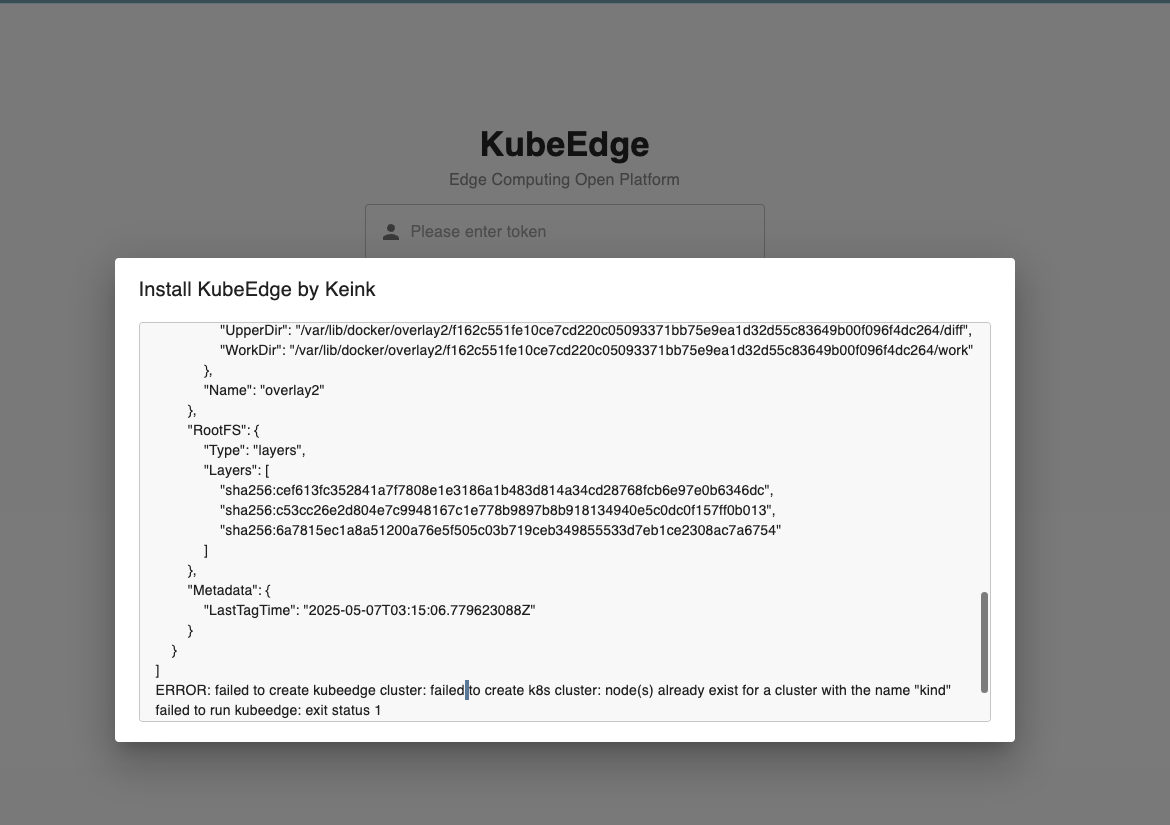
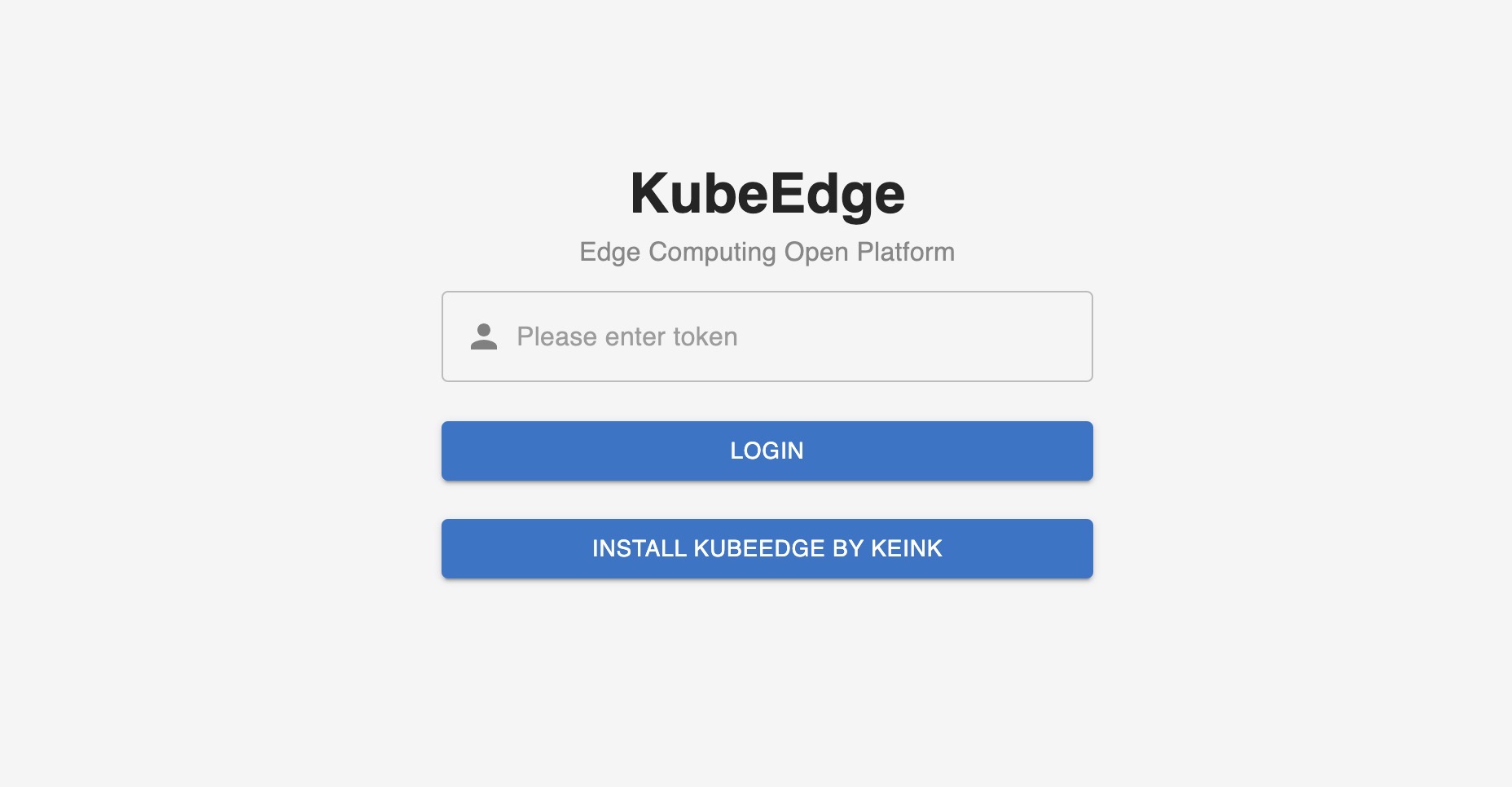
新版本对Dashboard进行了增强,为 KubeEdge 控制面板设计了一个 BFF(Backend for Frontend)层,以连接前端用户界面层和 KubeEdge 后端 API。它作为数据传输和处理中心,提供专用的后端服务,简化了前端的数据检索逻辑,提高了性能和安全性。此外,为了让开发人员快速体验和部署kubeedge,我们与 kubeedge/keink 项目深度集成。只需一键操作,在 dashboard 上就能快速启动 kubeedge环境,对其功能进行完整的演示和验证。

更多信息可参考: https://github.com/kubeedge/dashboard/pull/50

版本升级注意事项

节点任务

新版本默认开启v1alpha2版本的节点任务,CRD定义会向下兼容,如果想继续使用v1alpha1版本的NodeUpgradeJob和ImagePrePullJob,可以通过设置ControllerManager和CloudCore的特性门切换。

ControllerManager 添加启动参数

--feature-gates=disableNodeTaskV1alpha2

CloudCore 修改配置文件

kubectl edit configmap -n kubeedge cloudcore

修改配置内容:

  apiVersion: cloudcore.config.kubeedge.io/v1alpha2
kind: CloudCore
+ featureGates:
+ disableNodeTaskV1alpha2: true
备注

v1alpha2版本节点任务的CRD能兼容v1alpha1,但是它们不能相互切换,v1alpha1的代码逻辑会破坏v1alpha2 节点任务CR的数据。

v1alpha1的节点任务基本不会再进行维护,v1.23版本后将删除v1alpha1版本节点任务的相关代码。另外,节点任务在边端已成为一个默认关闭的Beehive模块,如果要正常使用节点任务功能的话,需要修改边端edgecore.yaml配置文件开启:

  modules:
...
+ taskManager:
+ enbale: true

边缘节点升级

我们对Keadm边缘节点升级的相关命令(备份、升级、回滚)做了调整:

  • 升级命令不会自动执行备份命令,备份命令需要手动触发;
  • 升级命令隐藏了业务相关的参数,v1.23版本后会清理废弃的代码;
  • 升级的相关命令都使用三级命令:
 keadm edge upgrade
keadm edge backup
keadm edge rollback

· 阅读需 9 分钟

北京时间2025年1月21日,KubeEdge发布1.20.0版本。新版本针对大规模、离线等边缘场景对边缘节点和应用的管理、运维等能力进行了增强,同时新增了多语言Mapper-Framework的支持。

KubeEdge v1.20 新增特性:

新特性概览

支持批量节点操作

在之前的版本中,keadm工具仅支持单个节点的安装与管理,然而在边缘场景中,节点数量通常比较庞大,单个节点的管理难以满足大规模场景的需求。

在1.20版本中,我们提供了批量节点操作和运维的能力。基于这个能力,用户仅需要使用一个配置文件,即可通过一个控制节点(控制节点可以登录所有边缘节点)对所有边缘节点进行批量操作和维护。keadm当前版本支持的批量能力包括join, reset和upgrade。

# 配置文件配置要求参考如下
keadm:
download:
enable: true # <Optional> Whether to download the keadm package, which can be left unconfigured, default is true. if it is false, the 'offlinePackageDir' will be used.
url: "" # <Optional> The download address of the keadm package, which can be left unconfigured. If this parameter is not configured, the official github repository will be used by default.
keadmVersion: "" # <Required> The version of keadm to be installed. for example: v1.19.0
archGroup: # <Required> This parameter can configure one or more of amd64/arm64/arm.
- amd64
offlinePackageDir: "" # <Optional> The path of the offline package. When download.enable is true, this parameter can be left unconfigured.
cmdTplArgs: # <Optional> This parameter is the execution command template, which can be optionally configured and used in conjunction with nodes[x].keadmCmd.
cmd: "" # This is an example parameter, which can be used in conjunction with nodes[x].keadmCmd.
token: "" # This is an example parameter, which can be used in conjunction with nodes[x].keadmCmd.
nodes:
- nodeName: edge-node # <Required> Unique name, used to identify the node
arch: amd64 # <Required> The architecture of the node, which can be configured as amd64/arm64/arm
keadmCmd: "" # <Required> The command to be executed on the node, can used in conjunction with keadm.cmdTplArgs. for example: "{{.cmd}} --edgenode-name=containerd-node1 --token={{.token}}"
copyFrom: "" # <Optional> The path of the file to be copied from the local machine to the node, which can be left unconfigured.
ssh:
ip: "" # <Required> The IP address of the node.
username: root # <Required> The username of the node, need administrator permissions.
port: 22 # <Optional> The port number of the node, the default is 22.
auth: # Log in to the node with a private key or password, only one of them can be configured.
type: password # <Required> The value can be configured as 'password' or 'privateKey'.
passwordAuth: # It can be configured as 'passwordAuth' or 'privateKeyAuth'.
password: "" # <Required> The key can be configured as 'password' or 'privateKeyPath'.
maxRunNum: 5 # <Optional> The maximum number of concurrent executions, which can be left unconfigured. The default is 5.`

# 配置文件参考用例 (各字段具体值请根据实际环境进行配置)
keadm:
download:
enable: true
url: https://github.com/kubeedge/kubeedge/releases/download/v1.20.0 # If this parameter is not configured, the official github repository will be used by default
keadmVersion: v1.20.0
archGroup: # This parameter can configure one or more of amd64\arm64\arm
- amd64
offlinePackageDir: /tmp/kubeedge/keadm/package/amd64 # When download.enable is true, this parameter can be left unconfigured
cmdTplArgs: # This parameter is the execution command template, which can be optionally configured and used in conjunction with nodes[x].keadmCmd
cmd: join --cgroupdriver=cgroupfs --cloudcore-ipport=192.168.1.102:10000 --hub-protocol=websocket --certport=10002 --image-repository=docker.m.daocloud.io/kubeedge --kubeedge-version=v1.20.0 --remote-runtime-endpoint=unix:///run/containerd/containerd.sock
token: xxx
nodes:
- nodeName: ubuntu1 # Unique name
arch: amd64
keadmCmd: '{{.cmd}} --edgenode-name=containerd-node1 --token={{.token}}' # Used in conjunction with keadm.cmdTplArgs
copyFrom: /root/test-keadm-batchjoin # The file directory that needs to be remotely accessed to the joining node
ssh:
ip: 192.168.1.103
username: root
auth:
type: privateKey # Log in to the node using a private key
privateKeyAuth:
privateKeyPath: /root/ssh/id_rsa
- nodeName: ubuntu2
arch: amd64
keadmCmd: join --edgenode-name=containerd-node2 --cgroupdriver=cgroupfs --cloudcore-ipport=192.168.1.102:10000 --hub-protocol=websocket --certport=10002 --image-repository=docker.m.daocloud.io/kubeedge --kubeedge-version=v1.20.0 --remote-runtime-endpoint=unix:///run/containerd/containerd.sock # Used alone
copyFrom: /root/test-keadm-batchjoin
ssh:
ip: 192.168.1.104
username: root
auth:
type: password
passwordAuth:
password: *****
maxRunNum: 5

# 用法 (保存以上文件,例如保存为 config.yaml)
# 在控制节点下载最新版本 keadm, 执行以下命令进行使用
keadm batch -c config.yaml

更多信息可参考:

https://github.com/kubeedge/kubeedge/pull/5988 https://github.com/kubeedge/kubeedge/pull/5968 https://github.com/kubeedge/website/pull/657

多语言Mapper-Framework支持

由于边缘IoT设备通信协议的多样性,用户可能需要使用Mapper-Framework生成自定义Mapper插件来纳管边缘设备。当前Mapper-Framework只能生成go语言版本的Mapper工程,对于部分不熟悉go语言的开发者来说使用门槛仍然较高。因此在新版本中,KubeEdge提供了Java版本的Mapper-Framework,用户可以访问 KubeEdge主仓库 的 feature-multilingual-mapper 分支,利用 Mapper-Framework 生成 Java 版的自定义 Mapper 工程。

更多信息可参考:

https://github.com/kubeedge/kubeedge/pull/5773 https://github.com/kubeedge/kubeedge/pull/5900

边缘keadm ctl新增 pods logs/exec/describe 和 Devices get/edit/describe 能力

在v1.17.0版本中,我们新增了keadm ctl子命令,支持在离线场景下对边缘pod进行查询和重启。在v1.20中我们对该命令做了进一步增强,支持pod的logs/exec/describe等功能,用户在边缘可对pod进行日志查询、pod资源详细信息查询、进入容器内部等操作。同时还新增了对device的操作,支持device的get/edit/describe的功能,可以在边缘获取device列表、device的详细信息查询、在边缘离线场景下对device进行编辑操作。

如下所示,新增的keadm ctl子命令功能均在MetaServer中开放了Restful接口,并与K8s ApiServer对应的接口完全兼容。

[root@edgenode1 ~]# keadm ctl -h
Commands operating on the data plane at edge

Usage:
keadm ctl [command]

Available Commands:
...
describe Show details of a specific resource
edit Edit a specific resource
exec Execute command in edge pod
get Get resources in edge node
logs Get pod logs in edge node
...

更多信息可参考:

https://github.com/kubeedge/kubeedge/pull/5752 https://github.com/kubeedge/kubeedge/pull/5901

解耦边缘应用与节点组,支持使用Node LabelSelector

EdgeApplication 可以通过节点组覆盖部署定义(如副本、镜像、命令和环境),Pod 流量在节点组内闭环(EdgeApplication 管理的 Deployment 共用一个 Service)。但在实际场景中,需要批量操作的节点范围与需要相互协作的节点范围并不相同。例如在智慧园区的场景中,每个城市都有很多个智慧园区,我们需要应用的流量在一个智慧园区内闭环,但应用批量管理的范围可能是城市级,也可能是省级。

我们在 EdgeApplication CRD 中为节点标签选择器添加了一个新的 targetNodeLabels 字段,该字段将允许应用程序根据节点标签进行部署,并且覆盖特定的字段,YAML定义如下:

apiVersion: apps.kubeedge.io/v1alpha1
kind: EdgeApplication
metadata:
name: edge-app
namespace: default
spec:
replicas: 3
image: my-app-image:latest
# New field: targetNodeLabels
targetNodeLabels:
- labelSelector:
- matchExpressions:
- key: "region"
operator: In
values:
- "HangZhou"
overriders:
containerImage:
name: new-image:latest
resources:
limits:
cpu: "500m"
memory: "128Mi"

更多信息可参考:

Issue: https://github.com/kubeedge/kubeedge/issues/5755

Pull Request: https://github.com/kubeedge/kubeedge/pull/5845

边云通道支持IPv6

我们在官网的文档中提供了一份配置指南,介绍了KubeEdge如何在Kubernetes集群中让云边 hub 隧道支持IPv6。文档地址:https://kubeedge.io/docs/advanced/support_ipv6

升级K8s依赖到v1.30

新版本将依赖的Kubernetes版本升级到v1.30.7,您可以在云和边缘使用新版本的特性。

更多信息可参考:

https://github.com/kubeedge/kubeedge/pull/5997

版本升级注意事项

  • 从v1.20.0版本开始,EdgeCore的配置项edged.rootDirectory的默认值将会由/var/lib/edged切换至/var/lib/kubelet,如果您需要继续使用原有路径,可以在使用keadm安装EdgeCore时设置--set edged.rootDirectory=/var/lib/edged

· 阅读需 5 分钟

在KubeEdge v1.19版本中,我们引入了重构后的全新版本KubeEdge Dashboard,该版本的KubeEdge Dashboard采用了Next.js框架及MUI组件库,具有更好的性能和用户体验。同时,我们还对KubeEdge Dashboard的功能进行了优化和增强,包括对仪表盘设备管理以及设备模型管理等功能进行了优化。

在本文中,我们将介绍KubeEdge Dashboard的部署和使用。

环境准备

首先,我们需要获取KubeEdge Dashboard的源代码并进行运行环境的准备。最新的KubeEdge Dashboard源代码可以从KubeEdge Dashboard代码仓库获取。

在部署KubeEdge Dashboard之前,我们需要准备以下环境:

  • KubeEdge集群:请参考KubeEdge官方文档部署KubeEdge集群,KubeEdge Dashboard依赖于KubeEdge v1.15及以上版本。
  • Node.js:请确保系统中已经安装了Node.js,建议使用Node.js v18及以上版本。
  • Node.js包管理工具:请确保系统中已经安装了Node.js包管理工具,例如npm、yarn或者pnpm。

安装与运行

下面我们以pnpm为例,介绍如何在本地环境中安装和运行KubeEdge Dashboard。首先,我们需要在项目根目录中通过包管理工具安装KubeEdge Dashboard所需的依赖:

pnpm install

由于KubeEdge Dashboard需要连接到KubeEdge后端API,我们需要在启动KubeEdge Dashboard时设置API_SERVER环境变量,以指定KubeEdge集群的API Server地址。以Kubernetes API Server地址为192.168.33.129:6443为例,我们可以通过下面的命令编译并启动KubeEdge Dashboard:

pnpm run build
API_SERVER=https://192.168.33.129:6443 pnpm run start

在启动KubeEdge Dashboard后,我们可以通过浏览器访问http://localhost:3000查看KubeEdge Dashboard的界面。

对于使用自签名证书的KubeEdge集群,我们需要在启动KubeEdge Dashboard时指定NODE_TLS_REJECT_UNAUTHORIZED=0环境变量,以忽略证书验证。

NODE_TLS_REJECT_UNAUTHORIZED=0 API_SERVER=<api-server> pnpm run start

创建登录Token

为了通过KubeEdge Dashboard管理KubeEdge集群,我们需要创建一个Token用于登录。下面以通过kubectlkube-system命名空间中创建一个名为dashboard-user的ServiceAccount为例,创建一个用于KubeEdge Dashboard身份验证的Token。

首先,我们需要在Kubernetes集群中创建一个ServiceAccount。

kubectl create serviceaccount dashboard-user -n kube-system

在创建ServiceAccount后,我们需要将ServiceAccount与ClusterRole绑定,以授予相应的权限。Kubernetes提供了一些内置的角色,例如cluster-admin角色,它拥有集群中所有资源的访问权限。另外,也可以参考Kubernetes文档根据需要创建自定义的ClusterRole。

kubectl create clusterrolebinding dashboard-user-binding --clusterrole=cluster-admin --serviceaccount=kube-system:dashboard-user -n kube-system

对于Kubernetes v1.24及以上版本,Kubernetes将不再自动为ServiceAccount创建Secret,我们需要通过kubectl create token命令创建token。默认情况下,该token的有效期根据服务器配置确定,也可以通过--duration参数指定token的有效期。

kubectl create token dashboard-user -n kube-system

对于Kubernetes v1.23及以下版本,Kubernetes会自动为ServiceAccount创建Secret。我们可以使用kubelet describe secret命令获取,或使用下面的命令快速获取对应的Secret。

kubectl describe secret -n kube-system $(kubectl get secret -n kube-system | grep dashboard-user | awk '{print $1}')

结论

通过KubeEdge Dashboard,我们可以更方便地管理KubeEdge集群中的EdgeApplication及设备等资源。我们也将在后续版本中继续增强和优化KubeEdge Dashboard的功能和用户体验,也欢迎社区用户提出宝贵的意见和建议。

对于KubeEdge Dashboard的更多信息,请参考KubeEdge Dashboard GitHub仓库